






 Microsoft Copilot







Fix common violations from a template
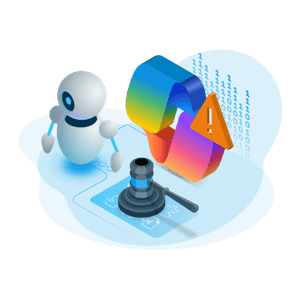
Switch on a template from the automation library for the violations you always handle the same way: archive unused teams, set public teams to private and tell their owners, mark teams that contain external users, or delete a Microsoft 365 Group only after an approval. Each template runs against the objects a policy flags, and you can customize any of them.
Build your own workflow, and call the tools you already run
Combine actions, contacts, approvals and triggers in the automation builder. Run an automation manually, on a schedule, or on every violation of a policy, and hand the work to your own Power Automate flows, Azure Functions or Logic Apps through a webhook or HTTP request step.
Detailed Automation Tracking
Get an instant overview of processed Automation details and their status over time. The Automation overview also signals Automations that require attention.
Pre-defined and custom checks across Microsoft 365
Every automation starts from a check. Rencore Governance ships over 100 policy templates and lets you configure unlimited custom ones, such as unused Teams, sites with fewer than two owners or long-running flows, across Microsoft Teams, SharePoint, OneDrive, Entra ID, Exchange, Viva Engage and Power Platform. Every policy runs on each scan, so a new violation is found without anyone having to look for it.
Product icons for the Microsoft 365 services Rencore Governance connects to: Microsoft 365, Teams, SharePoint, OneDrive, Exchange, Entra ID, Viva Engage, Loop, Planner, Power Automate, Power Apps, Power BI and Copilot


Frequently asked questions
What tools automate Microsoft 365 policy enforcement?
Rencore Governance is a governance platform that checks Microsoft 365 against your policies on every scan and acts on each violation. It runs your own automation, hands the work to Power Automate, Azure Functions or Logic Apps, or notifies the owner by email or in Teams.
What can I automate without writing code?
Switch on a template from the automation library for violations you always handle the same way, such as archiving unused teams, setting public teams to private and telling their owners, or deleting a Microsoft 365 Group only after an approval. Or combine actions, contacts, approvals and triggers in the no-code automation builder.
When does an automation run?
Manually, on a schedule, or on every violation of a policy. Every policy runs on each scan, so a new violation is found without anyone having to look for it, and the Automation overview shows the status of each run over time.
Which policies can an automation start from?
Rencore Governance ships over 100 policy templates and lets you configure unlimited custom ones, such as unused Teams, sites with fewer than two owners or long-running flows, across Microsoft Teams, SharePoint, OneDrive, Entra ID, Exchange, Viva Engage and Power Platform.