






 Microsoft Copilot


DORA evidence in Microsoft 365 is the documented, retained proof that connects your tenant to the ICT risk duties of the Digital Operational Resilience Act, Regulation (EU) 2022/2554. It shows which ICT assets exist in the tenant, who owns each one, who can reach it and how problems were handled over time, as records a supervisor can follow without anyone rebuilding them under audit pressure.
In short
- DORA has applied to EU financial entities since 17 January 2025, and its asset and access duties reach into Microsoft 365.
- Agents, Power Platform flows and apps built by business users are ICT assets too, and many registers have never seen them.
- Evidence means records over time: inventory, owners, access decisions and policy results.
- Build them during normal operations, and the audit becomes a matter of handing them over.
Where DORA meets your Microsoft tenant
DORA makes the management body responsible for the ICT risk framework (Article 5) and requires financial entities to identify every ICT asset and keep that view current (Article 8). It expects protection and detection measures, including access control (Articles 9 and 10), and a managed process for ICT incidents (Articles 17 to 19).
In a Microsoft tenant the ICT assets are not only servers and business applications. A Copilot Studio agent that reads customer data, a flow that moves files to an external system and a SharePoint site that holds a credit file are assets as well. Any licensed user can create them, so they appear faster than any asset intake process records them.
Why the evidence decides the audit
A supervisor asks what existed, who was accountable and what happened over the period, and a current screenshot answers none of that. Entities that collect evidence only before an audit end up reconstructing a year of decisions from mailboxes and memory. Entities that let owners, reviews and policies leave a record as they run can answer from data they already have.
Step by step
These five steps produce the Microsoft 365 part of your DORA evidence and keep it current between audits.
-
Map the DORA duties to Microsoft 365 controls
For each relevant article, name the Microsoft 365 control that answers it and the person who owns it: the asset inventory for Article 8, access control and MFA for Article 9, monitoring rules for Article 10. Every duty then has a control and an owner.
-
Inventory every ICT asset in the tenant, agents included
List workspaces, apps, flows and agents with owner, last activity and the data each can reach, and feed that list into your ICT asset register. Include what business users build, because that is the part asset registers often miss.
Tip: Flag agents and flows whose owner has left first. They keep their access and nobody answers for them.
-
Set a baseline and watch for drift
Record the configuration you consider correct, such as MFA for every administrator, no ownerless apps and no mail redirected to external recipients, as policies that flag each deviation. The policy results over time show that the controls held for the whole period.
-
Review access and ownership on a fixed cycle
Have owners confirm on a schedule who can reach their workspaces, apps and agents, and remove what they do not confirm. Keep the Microsoft 365 audit log in Microsoft Purview for a period that covers your incident and audit duties.
-
Package the evidence for supervisors
Assemble the control map, the inventory, owner and review records and the policy trend into reports a supervisor can follow from article to proof. Schedule them, so they exist before the request arrives.
Connectors in this How-to
Each connector page in the Rencore docs lists the objects, policies, reports and actions behind these steps.


Watch it in Rencore
Short narrated product guides that play in your browser, with no sign-in.
-
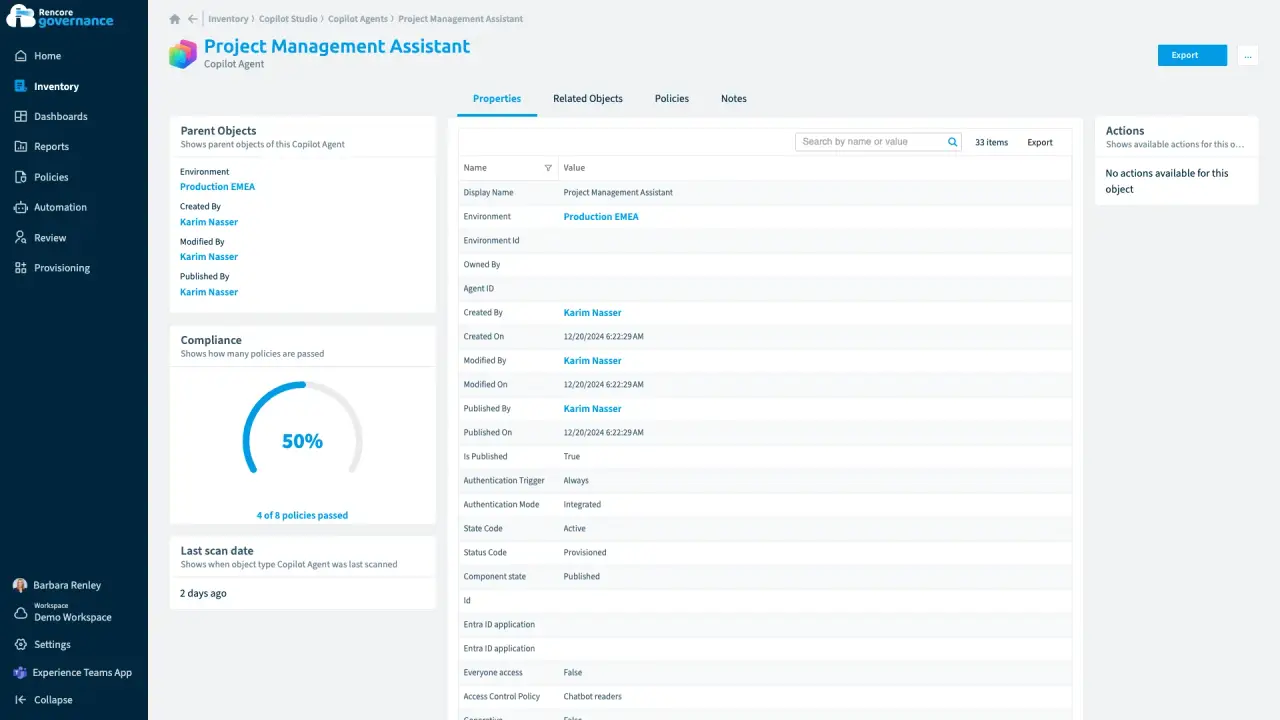
An agent nobody owns anymore
Length: 4 minA Copilot agent keeps running on its own after its maker leaves, and nobody answers for what it can reach.
- Copilot Studio
- AI Governance
- Sprawl & Lifecycle
-
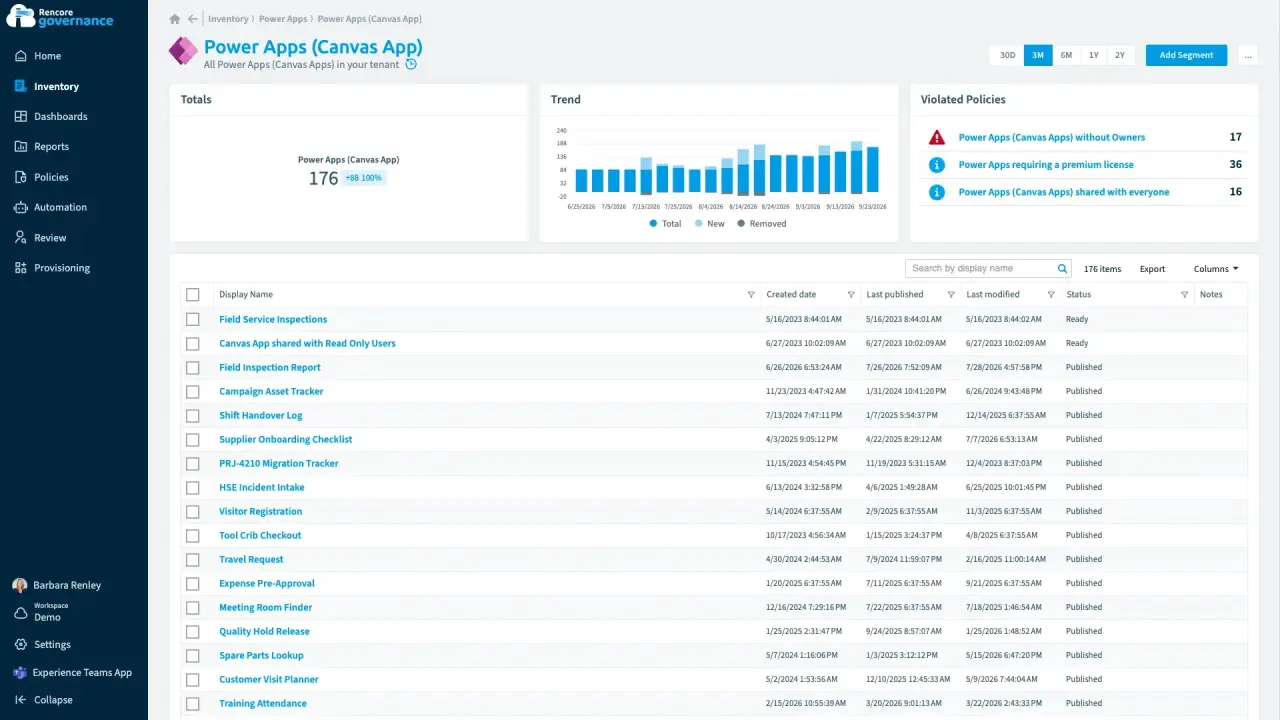
Power Apps and flows without owners
Length: 5 minApps and flows keep running after their makers leave, and nobody is accountable for them.
- Power Apps
- Power Automate
- Sprawl & Lifecycle
- Policies
- Automation
-
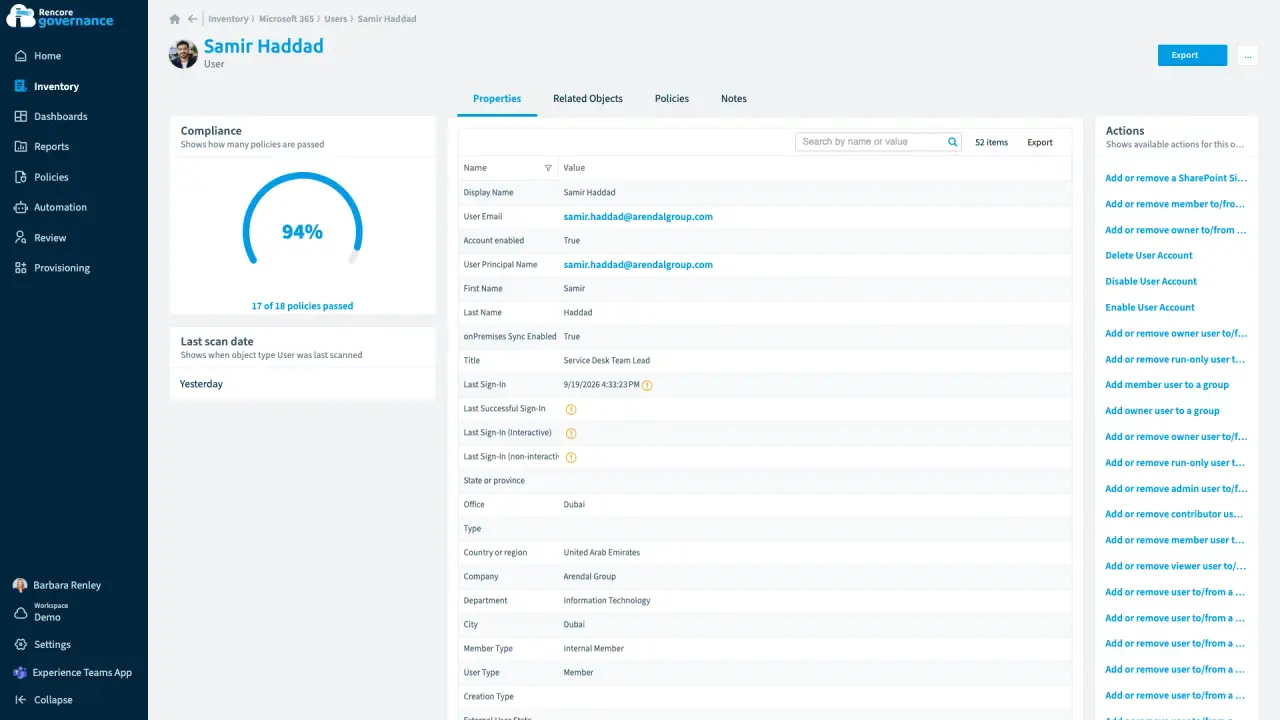
Who has access to what for one user
Length: 3 minWhen someone leaves or an auditor asks, nobody can say quickly which teams, sites, licences and shared files one person can reach.
- Microsoft 365
- Teams
- SharePoint
- OneDrive
- Entra ID
- Access & Sharing
- Reports
-
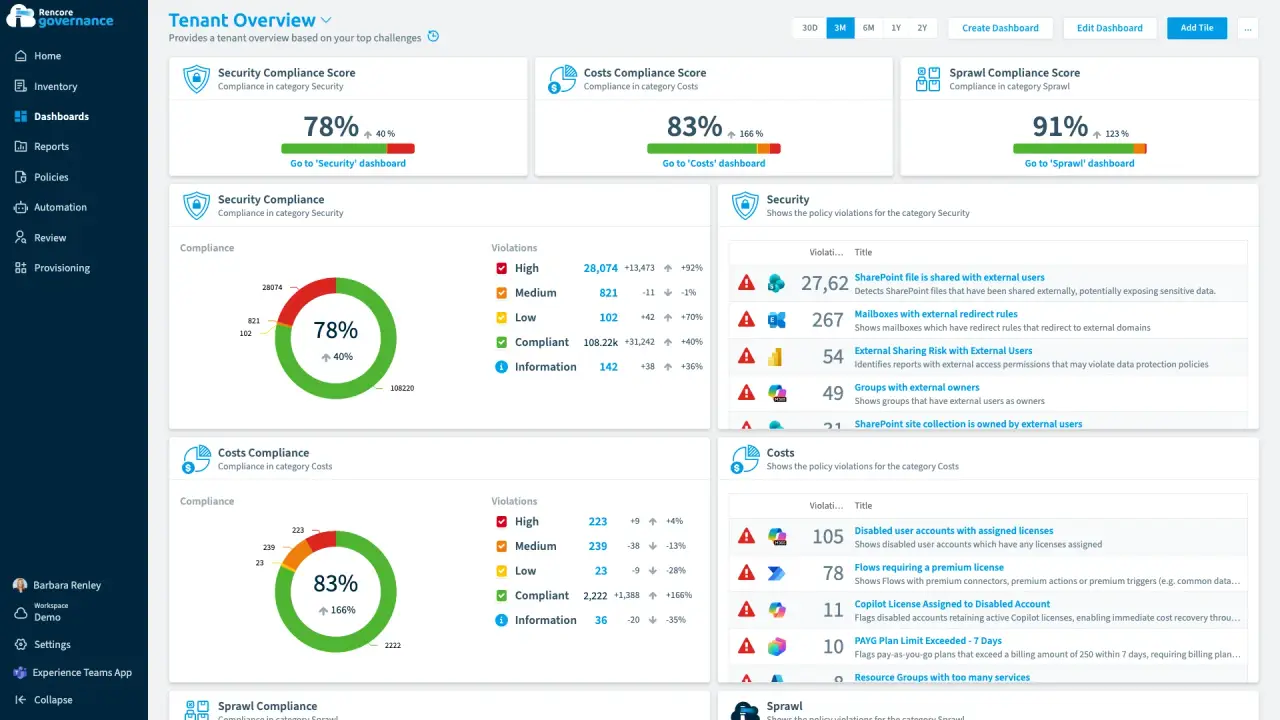
Build a governance dashboard
Length: 4 minLeadership, security and service owners each want their own view of the estate, and building every one by hand takes days.
- Teams
- SharePoint
- Power Platform
- Copilot
- Dashboards


 OneDrive
 Power Platform
 Last updated 8 October 2026


