






 Microsoft Copilot


Shadow AI is the use of AI tools that IT and security have not approved or do not know about, from a chatbot a team signed up for to an agent built on company data without review. Controlling it starts with finding those tools, then assessing what each can reach, approving the ones that earn their place under the same inventory, ownership and review as approved tools, and retiring the rest.
In short
- Shadow AI is risky because nobody has assessed it.
- Finding it comes before writing policy about it.
- A blanket ban pushes use further out of sight, so approve what earns its place.
- Keep discovery running, because new tools appear every month.
Where shadow AI comes from
A team signs up for an AI assistant with their work email, connects it to a mailbox or a file store through an OAuth consent, and starts relying on it before security has heard the name. A maker builds an agent on a SharePoint site nobody approved for AI use. Each case uses data the organization is responsible for, without an owner or a review.
Shadow AI often leaves traces in places you already control. A tool that reads mail or files through Microsoft Graph appears as an enterprise application in Entra ID with the permissions it was granted. An agent built in Copilot Studio or SharePoint appears in your tenant. People using an enterprise AI service with an account outside your identity provider show up when you compare its members with Entra ID.
Step by step
Five steps turn shadow AI from a blind spot into a governed part of the estate.
-
Find the AI tools nobody approved
Review the enterprise applications in Entra ID, especially those with Microsoft Graph or SharePoint permissions, the agents in Copilot Studio and SharePoint, and the members of every AI service you license. Look for tools and agents that no request or approval covers.
Tip: Applications without an owner that hold Graph permissions are the fastest way into company data. Look at those first.
-
Assess what each one can reach
For each tool, record which data it can read or change, who uses it and whether it acts on its own. This separates a harmless convenience from an agent wired into sensitive systems.
-
Approve or retire
Decide per tool. Approve the ones that add value, with conditions such as an enterprise plan and single sign-on, and retire the rest deliberately: revoke the consent, have the agent's owner unpublish it and tell the users why.
-
Bring approved tools under governance
Move approved tools into the same inventory, ownership and access review as the rest of your AI estate, so they stop being shadow AI.
-
Keep discovery running
Re-run the checks on a fixed cycle and route new findings to an owner. Shadow AI comes back as fast as new tools launch.
Connectors in this How-to
Each connector page in the Rencore docs lists the objects, policies, reports and actions behind these steps.

Watch it in Rencore
Short narrated product guides that play in your browser, with no sign-in.
-
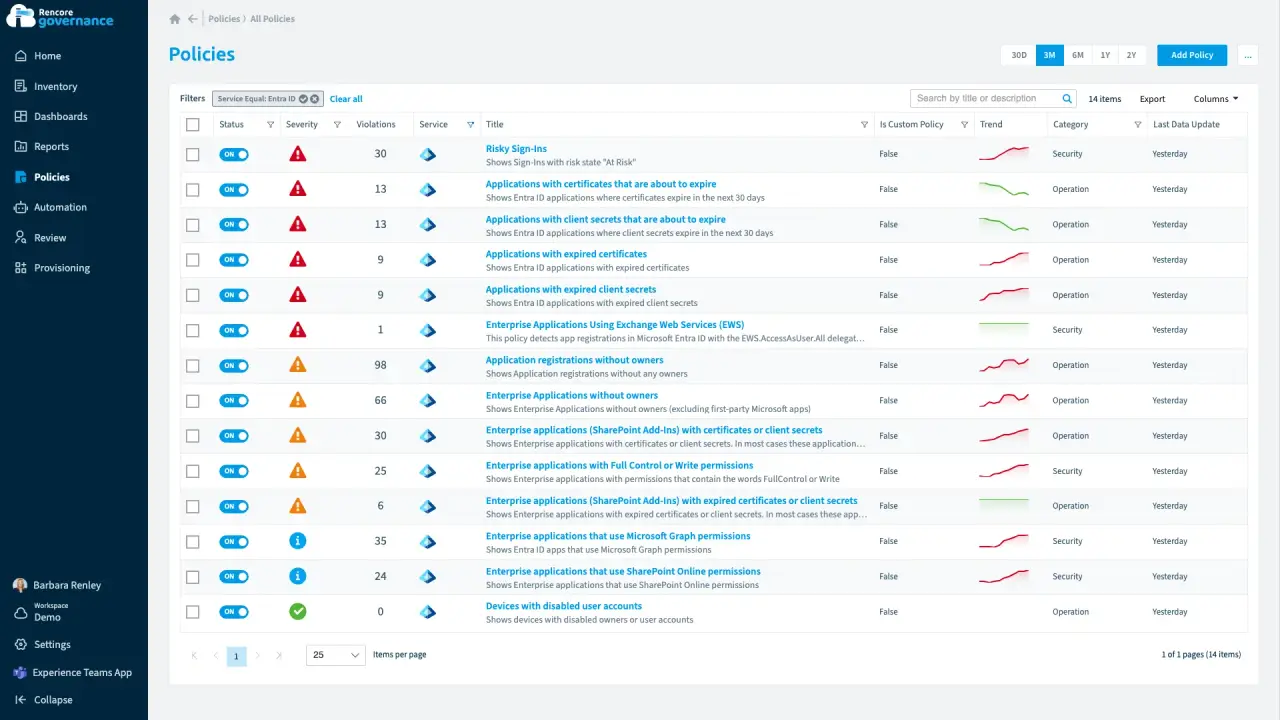
Entra ID and app registrations under control
Length: 6 minAn app that can read every mailbox has no owner, and an expiring secret can stop an integration without warning.
- Entra ID
- Exchange
- Access & Sharing
- Policies
- Automation
-
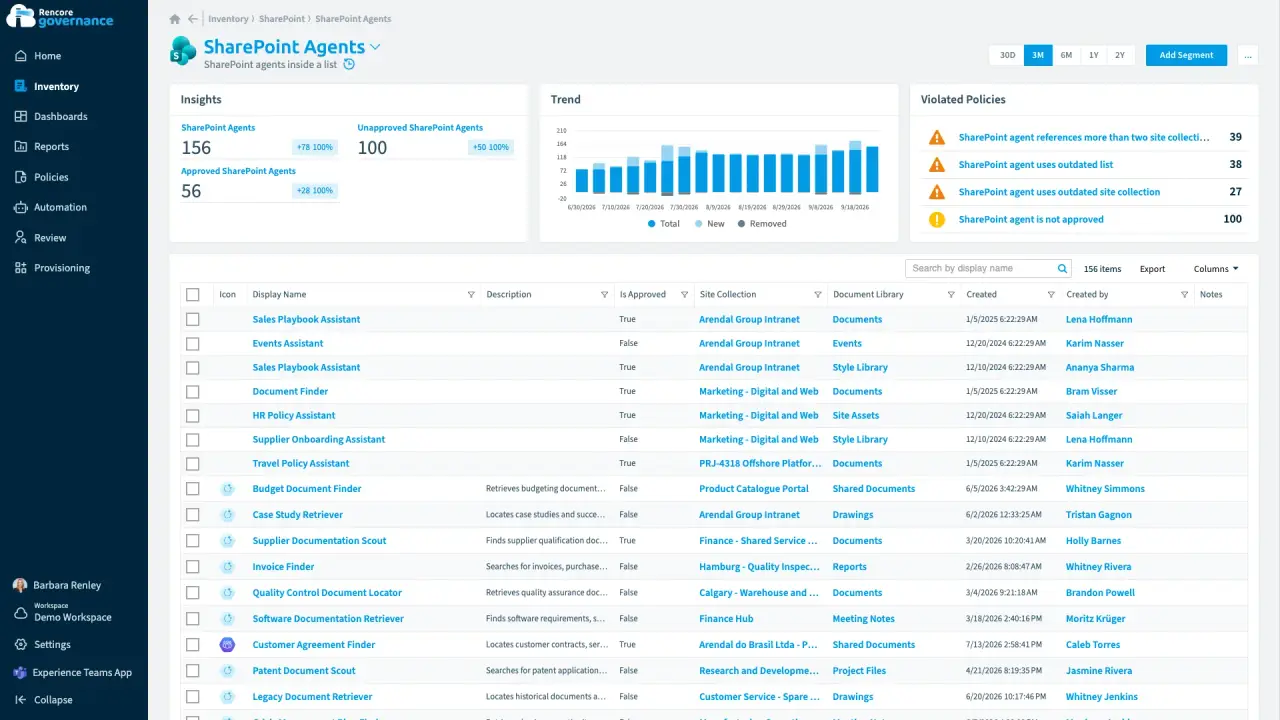
An agent nobody approved, answering from old files
Length: 4 minAnyone can build a SharePoint agent, so one nobody approved answers from other teams' sites and from sources nobody has updated in a year.
- SharePoint Agents
- SharePoint
- AI Governance
- Access & Sharing
- Policies
- Automation
-
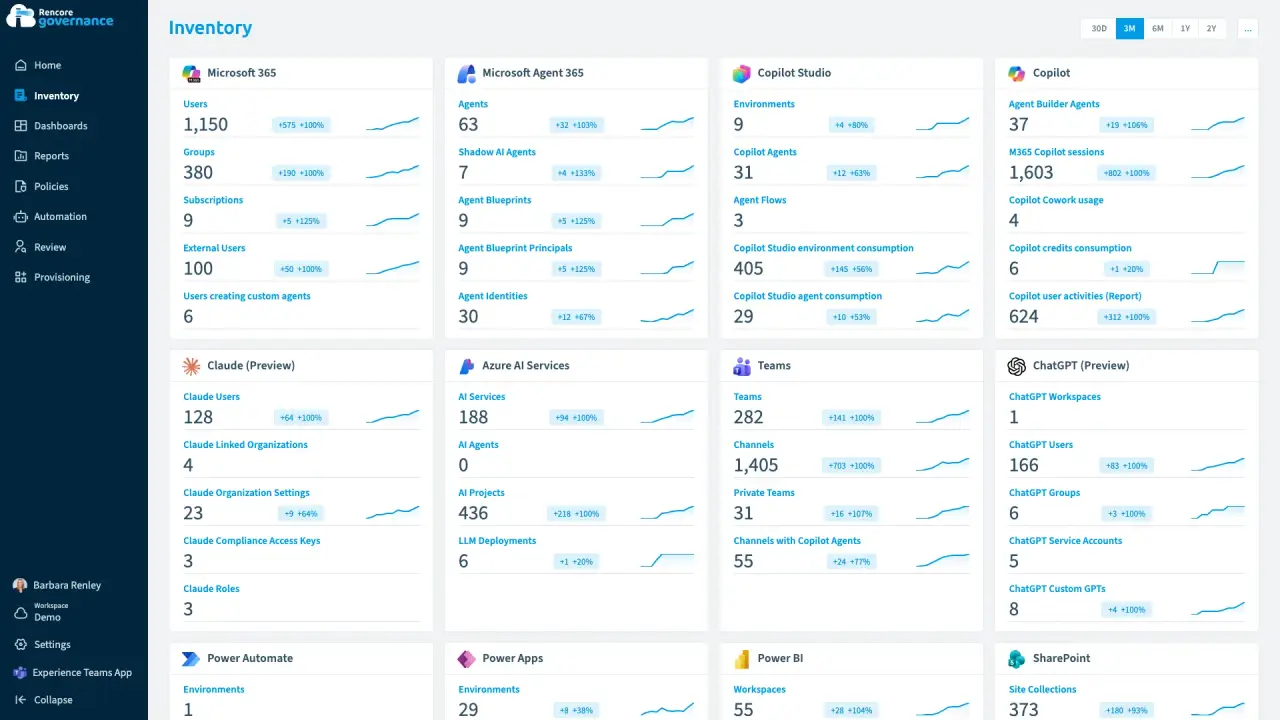
One outside account in Claude and ChatGPT
Length: 5 minAn account that is in Claude and ChatGPT but not in your Entra ID keeps access to company AI work that nobody inside can vouch for.
- Claude Enterprise
- ChatGPT Enterprise
- Entra ID
- Access & Sharing
- AI Governance


Last updated 8 October 2026


