






 Microsoft Copilot
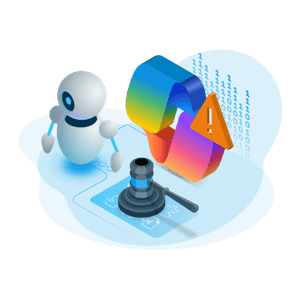
Fix your SharePoint and OneDrive governance gaps before AI finds them
Streamline SharePoint and OneDrive governance with automation built for Microsoft 365. Rencore Governance continuously discovers and monitors sites, users and sharing, and every file with the Files & Folders add-on, to give you control over access, lifecycle, and storage. It keeps your environment clean and secure and gets you ready for AI, so you can make sure the content Copilot and other agents can read still has an owner and is still in use.







Where SharePoint and OneDrive go out of control
Four gaps keep coming back in SharePoint and OneDrive, and each one matters more once Copilot and other AI agents can read what is there.
Access and compliance risks
Oversharing, misconfigured permissions, and missing sensitivity labels expose sensitive data. This raises the risk of violations under GDPR, NIS2, DORA, and the EU AI Act, and gives AI tools like Copilot access to content that was never intended for them.
Cloud sprawl and lifecycle issues
Inactive sites, orphaned files, and duplicate content drive up storage costs and reduce findability. Without automated lifecycle control, SharePoint and OneDrive content grows out of control and becomes harder to manage.
Misinformation from outdated content
Copilot and other AI agents retrieve what they can access, regardless of accuracy. If old or inaccurate files are still available, they quickly lead to misinformation, poor decisions, and a lack of trust in AI results.
Limited auditability and oversight
Monitoring access and tracking changes across SharePoint and OneDrive is difficult with native tools. This limits visibility, slows down audits, increases manual effort, and weakens your overall governance posture.
Take control with Rencore's SharePoint and OneDrive governance tools
Declutter your SharePoint and OneDrive
SharePoint sites and OneDrive accounts accumulate content nobody looks after. Rencore flags site collections nobody has used for 90 days, unused sites that hold more than 1 GB, files older than five years and the OneDrives of disabled users. Actions set a site collection to read-only or delete it, and archive files. File policies and file actions need the Files & Folders add-on.
- Reduce storage costs
- Improve search relevance
- Maintain data accuracy
Control file access and sharing
Fix incorrect permission settings and eliminate overexposure risks. Rencore enables secure collaboration and strengthens OneDrive and SharePoint security.
- Identifying blanket access and sharing misconfigurations
- Validating sensitivity labels and external sharing compliance
- Remediating violations before they become security incidents
See which content is still in use
Every cleanup starts with knowing what is still in use. Rencore reads when each site collection was last used and when each library last changed, so you can tell living content from abandoned content.
- Identify active vs. inactive sites and libraries
- See when each library last changed and how many items it holds
- Guide decisions around cleanup and policy enforcement
Gain visibility into where company information lives
Files from apps like OneNote, Whiteboard, Stream and Loop are stored in SharePoint and OneDrive, where nobody looks for them. With the Files & Folders add-on, Rencore inventories the files in every library and OneDrive, in one view with Teams and the rest of Microsoft 365.
- Surface hidden or overlooked content
- Map file locations across Microsoft 365
- Bring that content under the same policies as the rest of SharePoint
Digital Workplace

Microsoft 365
One inventory of users, groups, apps and every governed object across Microsoft 365, with policies for ownership, lifecycle, cost and compliance.
View the Microsoft 365 connectorTeams
Automate Teams lifecycle, control guest access and enforce governance policies from one central inventory.
View the Teams connector
OneDrive
Inventory every OneDrive with its owner, quota and sharing, and find external sharing, leavers' drives and full drives by policy.
View the OneDrive connectorExchange
Inventory Exchange user and shared mailboxes and their redirect rules, relate them to Entra ID users, and flag mail redirected to external domains.
View the Exchange connector
Planner
Inventory Planner plans with their owners, members and groups, related to Entra ID users, and provision Planner boards from templates.
View the Planner connectorViva Engage
Inventory Viva Engage communities with owners, members and activity, joined to their Microsoft 365 group and SharePoint site.
View the Viva Engage connector
Entra ID
Discover app registrations, catch expiring secrets and certificates, and see which unowned apps hold SharePoint or Graph permissions.
View the Entra ID connectorSharePoint and OneDrive governance questions, answered
What is SharePoint governance and why does it matter?
SharePoint governance is the set of policies, roles, and tools that keep your SharePoint environment secure, compliant, and well-structured. A clear governance strategy helps reduce risk, control access, and improve collaboration outcomes.
What are the risks of poor SharePoint governance?
Without governance, SharePoint environments quickly become disorganized and hard to manage. Risks include data breaches from oversharing, compliance violations, misinformation from outdated content, and uncontrolled cloud and site sprawl. These issues drive up costs, reduce operational efficiency, and make your environment unfit for tools like Copilot and other AI solutions.
Why do most SharePoint governance plans fail?
Most plans fail because of poor execution, a lack of ownership, or unclear policies. Even a well-defined strategy can fall apart without the right tools to enforce it.
What are SharePoint governance best practices?
The best practices are clear ownership, defined lifecycle policies, automated compliance checks, and visibility across your environment. Get the full whitepaper on SharePoint governance best practices.
How does Rencore help with SharePoint governance?
Rencore provides the automation, visibility, and enforcement to make Office 365 governance work at scale. It continuously monitors your SharePoint and OneDrive environment and applies policies for access, lifecycle, and security.
How is SharePoint coverage licensed?
SharePoint is part of the Digital Workplace module, together with Teams, OneDrive, Exchange, Viva Engage, Planner and Entra ID. File and folder inventory, and the policies and actions that run on files and folders, need the Files & Folders add-on, optional on Premium and included on Enterprise. Sharing links are covered without it. The pricing page has the full plan comparison.